


Flowpoint Marketing
Website rebuilds · Local businesses
Website rebuilds for growing businesses
If your site is slow, hard to update, or no longer matches the business, we can replace it without throwing away what already works. We keep useful pages and URLs where we can, plan redirects when a URL must change, and make the next step obvious on mobile. Rebuilds start at $1,200 for a scoped local-business site.
URL preservation · Message clarity · Launch QA
What a rebuild starts from
Same planning language as a new build: sitemap, device stack, and conversion path, then a cleaner site.

Web experience work starts with structure, pages, and the path from visit to booked job.
Editorial planning visual. Not a client deliverable screenshot and not a ranking claim.
When a rebuild makes sense
- Your business has outgrown the current site
- Important pages or forms are hard to use
- The platform prevents updates you need
Who this is for
- Businesses with an outdated or difficult-to-maintain site
- Teams adding services, locations, or a new brand
- Businesses whose mobile experience makes inquiries difficult
What a rebuild includes
- Review of existing pages, content, and contact forms
- Page plan showing what stays, changes, or merges
- Updated design and copy direction
- Responsive development with SEO and accessibility basics
- Redirects for URLs that change
- Testing of forms, links, analytics, and mobile layouts before launch
What we protect during a rebuild
- Existing public URLs whenever possible, changes are documented, not accidental.
- Redirect plans when a URL must change so inbound links and search signals have a target.
- Existing SEO value, we do not wipe indexable content without a replacement plan.
Investment and what is separate
A rebuild is a one-time project. Monthly marketing support is optional and priced on its own.
- Rebuilds start from $1,200 for a scoped local-business site.
- Larger migrations, custom integrations, or heavier content work are quoted after we review the current site.
- Website Care from $499/month is optional after launch, with a 3-month minimum. It is not required to buy the rebuild. Ads and ongoing SEO retainers are also scoped separately.
Rebuilds we have delivered
Approved client work only. We do not invent rankings, lead counts, or quotes.
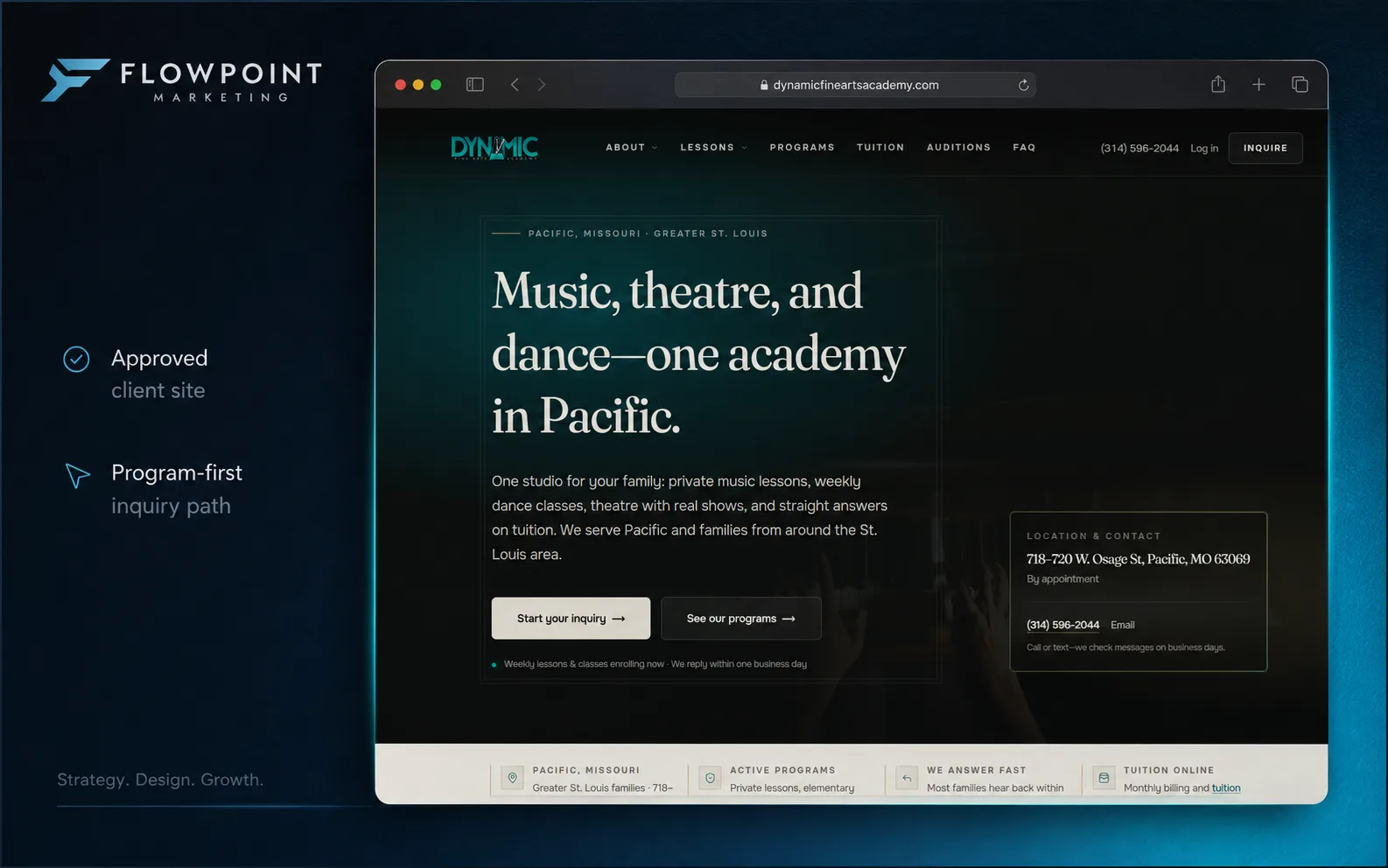
Website rebuild · Fine arts academy
Dynamic Fine Arts Academy
Problem. The old site was hard to scan, inquiry paths were buried, and responses were not always fast enough. Families moved on to the next school while a question sat unanswered.
What we changed. Program pages for dance, private music, group music, and theatre, plus homepage paths into programs and inquiry. Inquiry fields ask student age, program interest, and schedule.
Client note. Partnering with Flowpoint Marketing has been a turning point for our academy. They rebuilt our website with a clear structure.
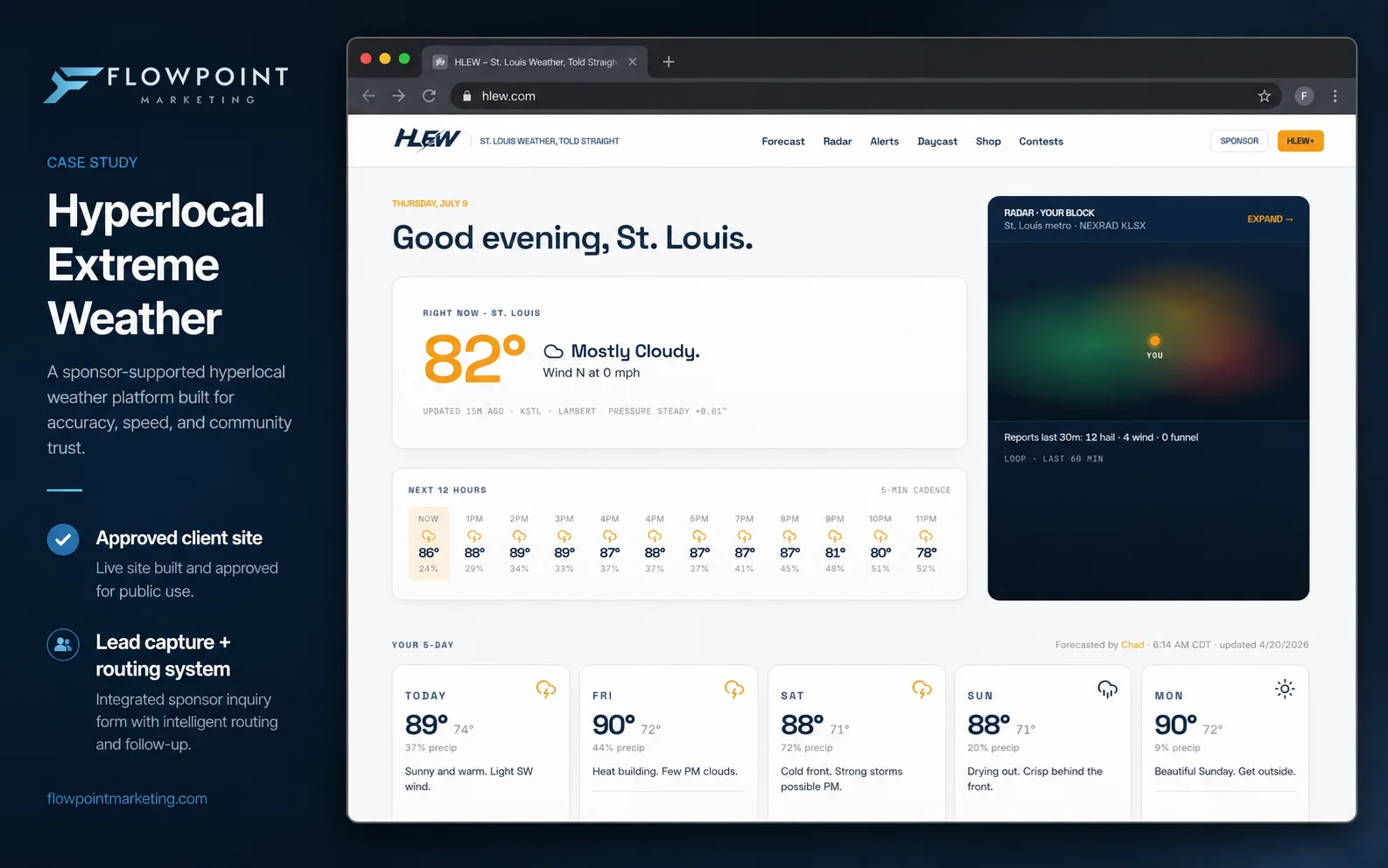
Website rebuild · Local weather media
Hyperlocal Extreme Weather
Problem. Severe weather spiked traffic, but lead capture and handoff to paying advertisers was inconsistent. Some leads stalled or never moved, so the value to advertisers was hard to see in the feed.
What we changed. Pages and capture built for the spike, with routing that puts each lead with the right buyer at the moment it comes in, and follow-up that stays on the lead through a booked appointment.
Client note. When weather hits, we need to capture demand instantly. Flowpoint didn't just build us a website; they built a routing system. Now, our ads, site, and follow-up are completely synced so nothing falls through the cracks anymore.
Rebuild process
- Share your current site and what is not working. We usually reply within two business days.
- Approve a page plan, scope, and price before build work starts.
- Build, test forms and redirects, and launch the updated site.
The free website audit is optional
Use the scan if you want a written fix list first. If you already know the site needs to be replaced, send a project review and we will say whether a rebuild, a smaller fix, or a new site is the better fit.
Questions we get a lot
Do we need a full rebuild?
What happens to our existing links?
How much does a website rebuild cost?
Is monthly Website Care required?
Can you keep our content and photos?
Will a rebuild preserve our rankings?
Let’s talk about your rebuild
Share your current site and what is not working. We usually reply within two business days.